Search Troubleshooting
Why Is My Website Not Showing Up on Google?
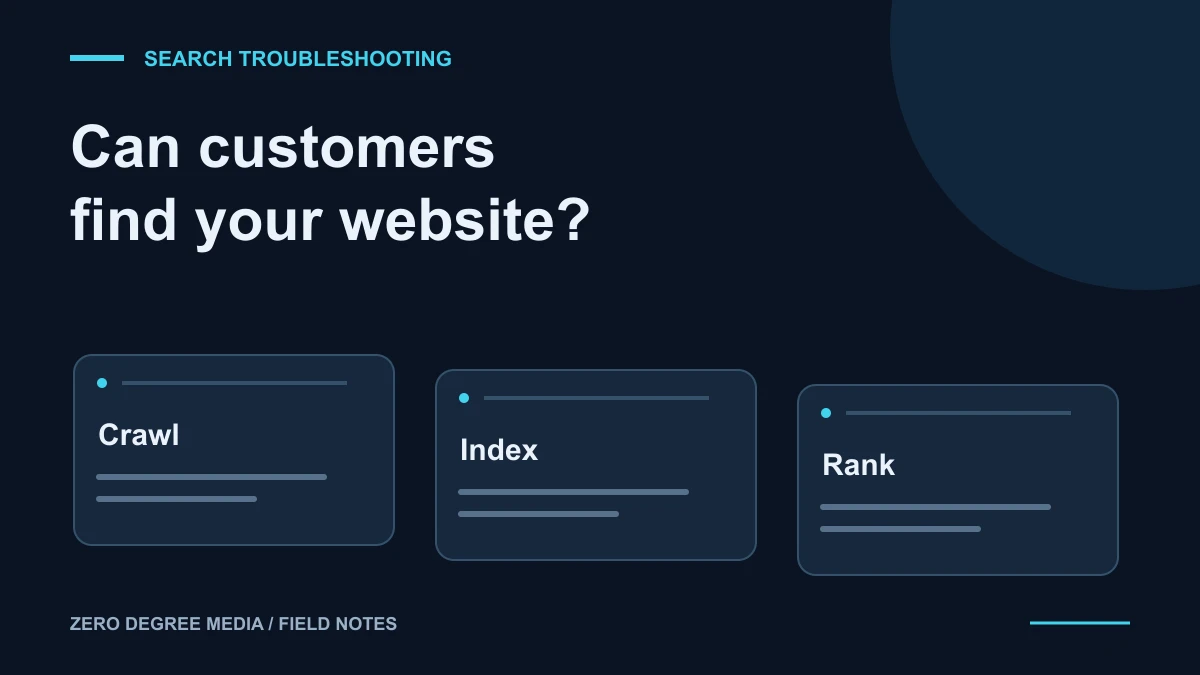
If your website is not showing up on Google, first work out what “not showing up” means. A page that Google has not indexed needs a different fix from a page that appears for your business name but not for “roof repair near me.” And neither problem is exactly the same as a missing Google Maps listing.
Before paying for more content or rebuilding the whole site, use this checklist to identify the problem.
1. Separate indexing, rankings, and Maps
There are three useful questions to ask:
- Has Google indexed the page? Indexing means Google has included a page in its search index. It does not guarantee a prominent position.
- Does the page appear for the searches you care about? Your company name and a competitive service phrase are different searches.
- Is your Business Profile visible in Maps? That listing has its own eligibility, verification, and local-ranking considerations.
Write down the exact search, the page you expected to appear, and whether you were looking at website results or Maps. “My kitchen remodeling page does not appear for kitchen remodeling in Newark” gives you a useful starting point. “Google is broken” does not.
2. Inspect the exact page in Search Console
Open your verified Google Search Console property and use URL Inspection for the page you want checked. Start with the homepage, then check an important service page.
Google’s URL Inspection documentation explains the distinction between the indexed version and a live test. A live test can help identify current accessibility problems; it does not prove that the page is already in search results.
If the page is not indexed, note the reason before making changes. Common things to investigate include a page accidentally marked noindex, a login requirement, a broken URL, or Google choosing another version of the page as canonical. Give that finding to whoever maintains your website.
Do not remove every indexing restriction indiscriminately. A private account page or a form confirmation page may be excluded intentionally.
3. Check that important pages are accessible and connected
A service page should open normally, describe the service clearly, and be reachable through a useful link elsewhere on your site. An orphan page with no internal links is harder for visitors to discover too.
Ask your website provider to confirm that important public pages return a successful response, are not unintentionally blocked, and use the intended canonical URL. Google’s technical requirements explain the basic conditions for search eligibility.
A sitemap helps Google discover URLs. It is not a ranking upgrade or a promise that every listed page will be indexed. After fixing a specific problem, you can request indexing through Search Console. Google’s recrawl guidance makes clear that a request does not guarantee inclusion. Repeatedly submitting an unchanged URL is not a substitute for resolving the issue.
4. If the page is indexed, review the search intent
An indexed homepage that says “Quality you can trust” may give a homeowner very little information about what you actually do. Compare your page with the question the searcher needs answered.
For a contractor service page, check whether it explains the work, the places you serve, project examples, and how to request an estimate. A roofing page should help someone evaluate roofing services; it should not be a general list of every trade you have ever offered.
In Search Console’s Performance report, compare queries and pages over a consistent period. Impressions without clicks, clicks without inquiries, and no impressions at all suggest different next steps. Avoid treating your own search from one phone as a complete ranking report.
5. Handle a Maps problem separately
Check your Business Profile’s verification status and business information. Google says local visibility depends mainly on relevance, distance, and prominence; a new website does not remove the distance factor. See Google’s local-ranking guidance.
Our Google Business Profile guide for contractors covers that side of your presence. Keep the website and profile accurate, but do not assume that fixing one automatically fixes the other.
What to send your website provider
Send the affected URL, the search you tried, a screenshot of the URL Inspection result, and the date you noticed the problem. Mention any recent launch, domain change, or redesign. Those details make a diagnosis much more useful than buying an unspecified “SEO boost.”
If you need help identifying the next step, request a website audit. We can review the website’s setup and content, then explain what needs attention. If a rebuild is appropriate, our contractor website service explains the scope and process.